
Last updated: January 17, 2023
Applies to:
-
 Marketing Hub
Professional, Enterprise
Marketing Hub
Professional, Enterprise
-
 Sales Hub
Professional, Enterprise
Sales Hub
Professional, Enterprise
-
 Service Hub
Professional, Enterprise
Service Hub
Professional, Enterprise
-
 Operations Hub
Professional, Enterprise
Operations Hub
Professional, Enterprise
Asana is a web and mobile application designed to help teams organize, track, and manage their work. Using workflows, you can automate the creation of Asana tasks to keep your teams aligned.
Before you can create Asana tasks with workflows, you'll need to connect Asana to your HubSpot account. You can connect the app from the App Marketplace or from within a workflow. The Asana user who connected the integration will be added as a collaborator on any tasks created from a HubSpot workflow.
To create an Asana task with a HubSpot workflow:
- In your HubSpot account, navigate to Automation > Workflows.
- Click the name of an existing workflow, or create a new workflow.
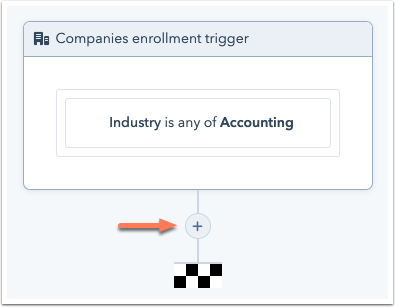
- Click the + plus icon to add a workflow action.
- In the right panel, select Create an Asana task.
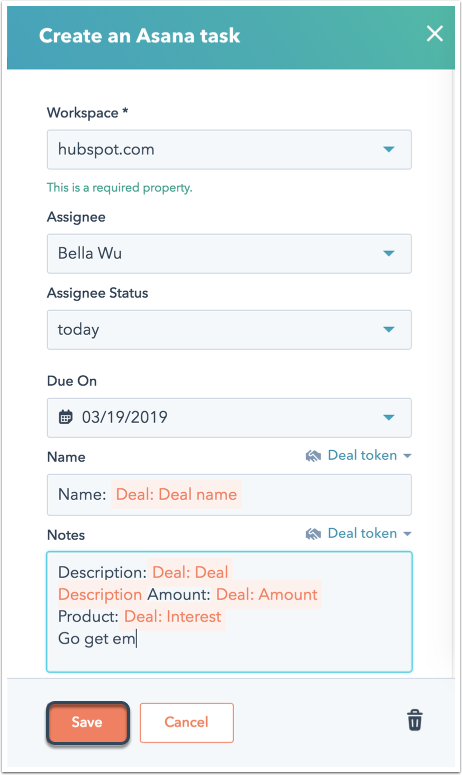
- In the right panel, set up your Asana task action.
Please note: Asana projects that are private won't appear in HubSpot. Learn more about project permissions in Asana's documentation.
- Click Save.