
Last updated: January 17, 2023
Applies to:

Set the default colors and fonts for HubSpot forms embedded on external websites and set as standalone form pages.
Before you get started, keep the following in mind:
- These settings only apply to regular forms and will not affect your pop-up or non-HubSpot forms.
- Global styles are set at the time of form creation. Existing forms will not be updated when global styles are changed.
- If you're not setting global styles, check out these other guides:
- Style your embedded form on external pages (for individual forms)
- Set up and style forms on HubSpot pages
To set your global form colors and fonts:
- In your HubSpot account, click the settings icon in the main navigation bar.
- In the left sidebar menu, navigate to Marketing > Forms.
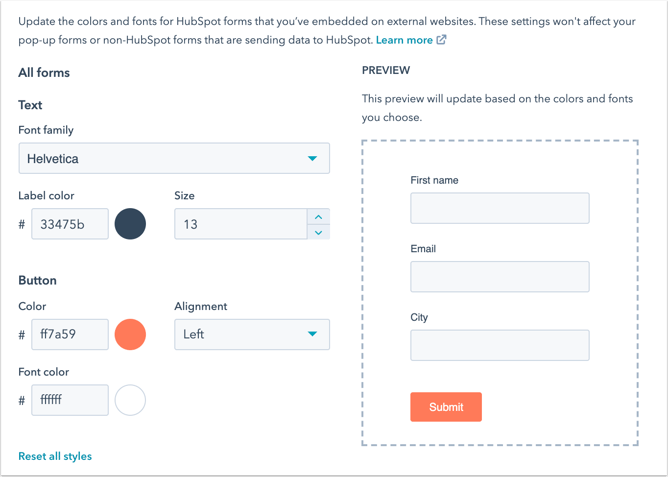
- In the Styles tab, click the color picker to customize the font color, button font color, and button background color for your forms.
- Click the Form font dropdown menu to select a default font for your forms.
- In the bottom left, click Save.