Last updated: November 4, 2022
Applies to:
-
 Marketing Hub
Professional, Enterprise
Marketing Hub
Professional, Enterprise
-
 CMS Hub
Starter, Professional, Enterprise
CMS Hub
Starter, Professional, Enterprise
- Legacy Marketing Hub Basic
There are different types of menus you can select when adding an advanced menu module to your template. Dynamic by section and Dynamic by page menus show different parts of your navigation menu depending on the page being viewed. These are often used as secondary menus supplementing your website's top-level navigation.
Dynamic by section
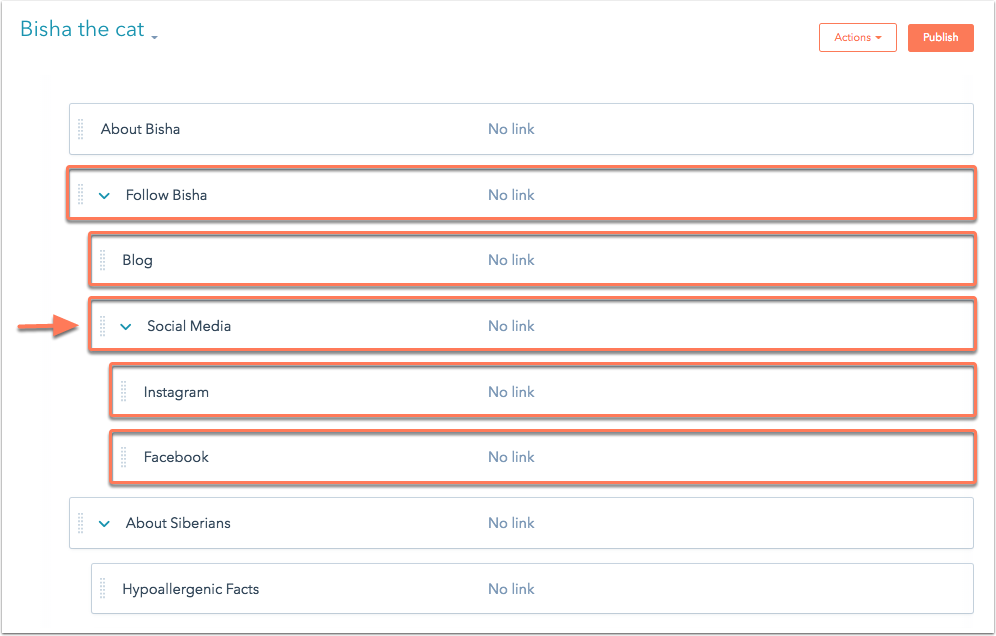
A dynamic by section menu will display all the child menu items in a specific section. A section is defined as a top-level menu item in your navigation. On any page in a section, all the items in that section and their respective child items will be expanded in the menu.
In the example below, anyone viewing the Social Media page would see all the pages included in the Follow Bisha parent menu item in the navigation.
Dynamic by page
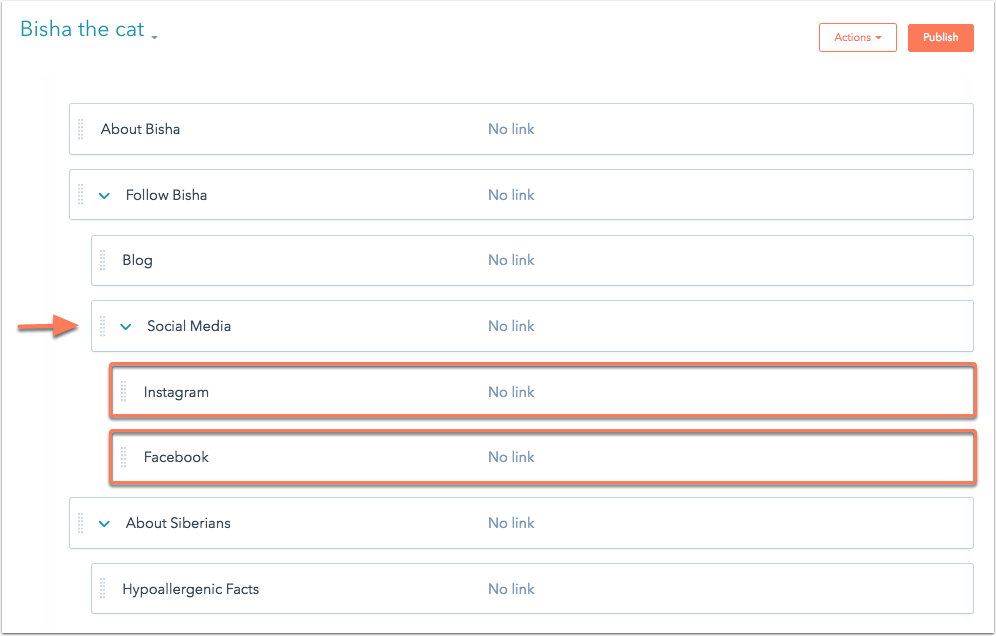
With a Dynamic by page menu, you can add child menu items that only display on their parent page. All child menu items will only appear on the parent page directly above them in the navigation.
In the example below, the Instagram and Facebook child menu items will only display on the Social Media page.