
Last updated: January 17, 2023
Applies to:
-
 Marketing Hub
Starter
Marketing Hub
Starter
-
 Sales Hub
Starter, Professional
Sales Hub
Starter, Professional
HubSpot receipts are mailed to the account's billing admin and can be accessed from your Account & Billing settings.
In this article, learn about the details of different HubSpot receipts. When adding new paid users to your subscription during your contract commitment term, a prorated charge will appear on next month's invoice. If you cancel your account or downgrade users, users will continue to have access to upgraded features until the end of your commitment term.
Below is an example of a HubSpot Sales Hub Starter receipt: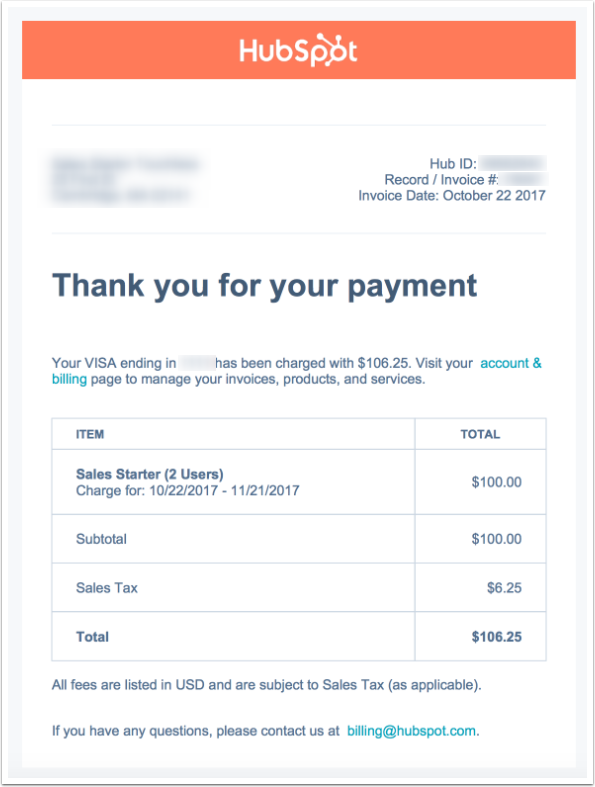
The example above shows a team account has two active users that subscribed at the time of the initial purchase date and are rated at $50 per user, totaling $100 per month. You can also see the billing period occurs on a monthly cadence.
Here's an example of a HubSpot Sales Hub Professional receipt:
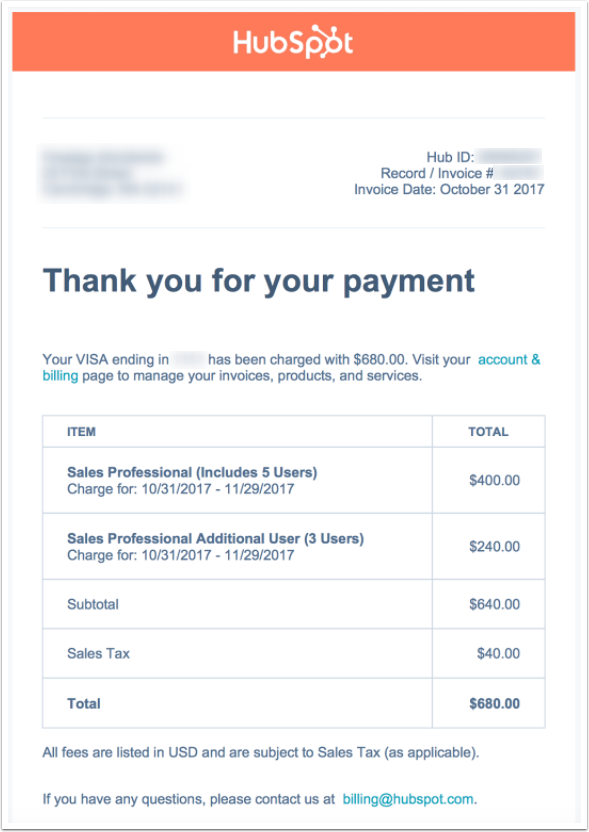 The example above shows a team account has five active users, at a total of $400 per month. The three additional users are at $80 per month each, totaling $680 with tax.
Similarly, here is an example of what a HubSpot Marketing Hub Starter receipt looks like:
